Viewing entries in
Education

5 Online Tools to Organize Your Business

Comment

5 Online Tools to Organize Your Business

I like to consider myself an organized person (but don’t look at my office right now – it’s a disaster zone!). Much more than staying physically organized, I love being organized with my processes and information.

When I first started photographing senior sessions, family sessions, and weddings, I would maybe photograph three weddings for the entire year and a portrait session per month. It was easy for me to stay "organized" because, well, I didn’t have too much work. But then, slowly over time, I started getting busier. And busier. And soon enough, I was in wayyyyyyy over my head without any rhyme, reason, or rhythm to my madness and it was driving me INSANE. I was the girl in high school who toted around a planner, calendar, and separate binder for each class (organized by assignment and month), but I wasn’t translating that organization into my business.

Fast forward a few years to today, and I’m photographing 20+ weddings and 50-60 sessions per year (such a blessing!), and I’ve had to force myself to get organized and find systems and processes for marking, booking, creating, culling, editing and sharing the work my clients hire me to do. Today, I wanted to share five of my favorite online tools for staying organized and streamlining my work process in hopes that someone else out there can benefit from these tools that took me way too long to find! So without further ado – here are my five favorite online tools for staying organized within my business:

1.  Wunderlist
pittsburgh wedding photographer, wedding photographers pittsburgh pittsburgh wedding venues, how to become a wedding photographer, zelienople photographer, cranberry township photographer, pittsburgh photography education

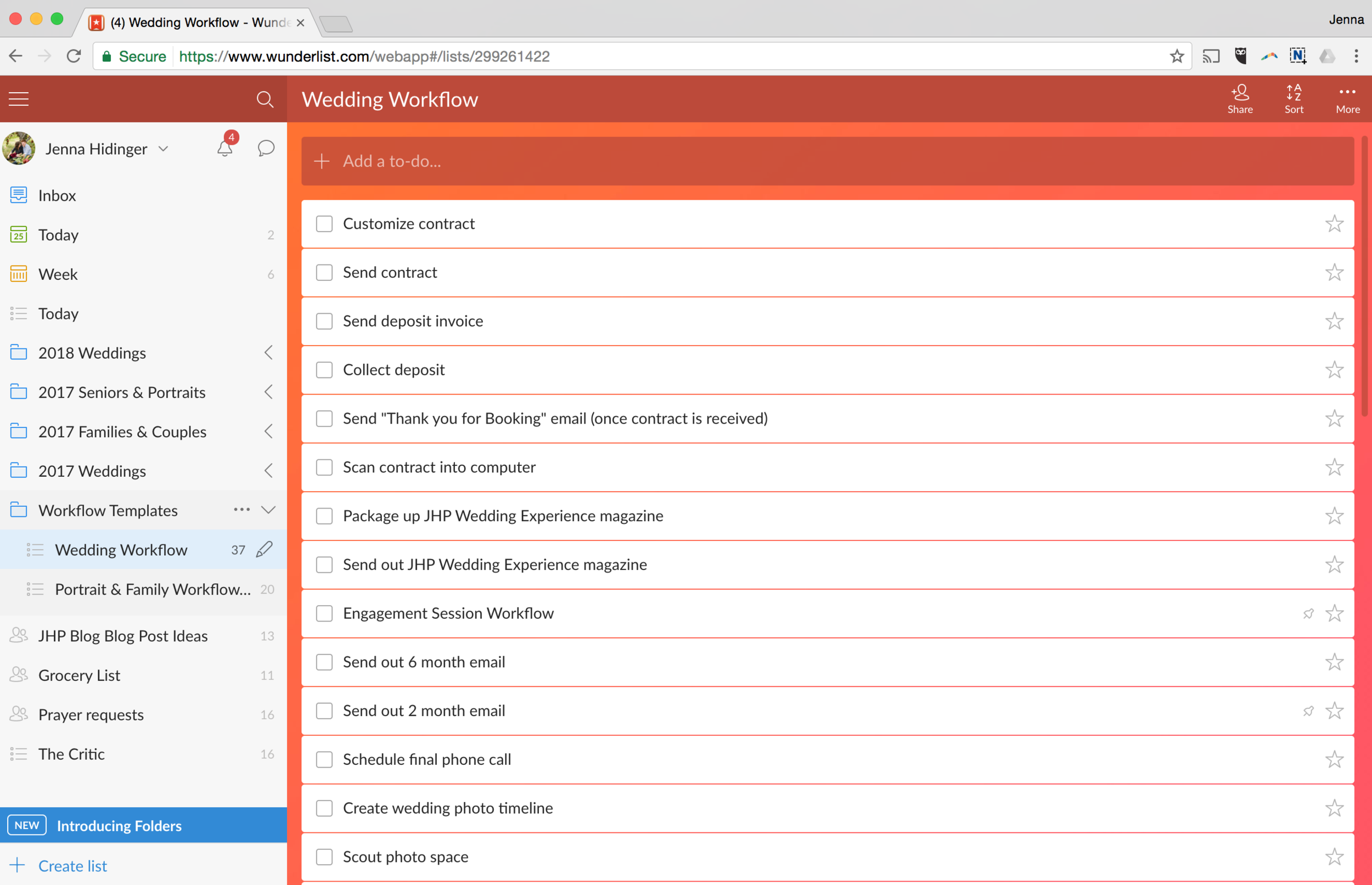
I absolutely love to do lists and Wunderlist allows me to organize, categorize, and set dates/deadlines for all of my tasks. This no-fuss app has quickly become one of my favorites for its power and simplicity. Wunderlist lets you easily create folders with subcategories (for example: “2018 Weddings”), create sub-lists within a folder (for example: “John Smith + Amy Flowers Wedding”) and create tasks within that list category, as well as sub tasks within those tasks (for example: "edit wedding photos)! If you’re an organizational nerd like me, I know you’re going to love it. And bonus: you can even collaborate on lists and invite people to contribute (for example: my husband and I have a “Groceries” list to help us keep track of what we’re running low on - we haven't run out of ketchup since - score!).

While users have the ability to upgrade on Wunderlist, I find the free version to be full of features and highly convenient (considering it syncs between my desktop and phone app so I can add to-dos while I’m out and about). Check out my breakdown below:

pittsburgh wedding photographer, wedding photographers pittsburgh pittsburgh wedding venues, how to become a wedding photographer, zelienople photographer, cranberry township photographer, pittsburgh photography education

Mile IQ was a newer find for me – actually, I discovered it while filing for my 2016 taxes when my accountant highly suggested that I keep track of my mileage (believe it or not, on location wedding/portrait photographers do a lot of driving between scouting locations, meeting with clients, and photographing sessions!). I absolutely love Mile IQ because it automatically keeps track of my drives. AUTOMATICALLY. Did I mention it was automatic? Like, that I don’t even have to think about it?! Talk about genius! I just leave my location on my phone on, and it tracks my driving and then lets me categorize those drives as “personal” or as “business” (with sub categories – and you know how I feel about sub-lists!!), along with literally showing a map of where you drove to/from. If you track mileage for business, this app is a must have!

I should also mention that the first forty drives while using the app are free – but if you drive more than 40 trips a month, Mile IQ has the option to upgrade for just a small monthly maintenance fee.

pittsburgh wedding photographer, wedding photographers pittsburgh pittsburgh wedding venues, how to become a wedding photographer, zelienople photographer, cranberry township photographer, pittsburgh photography education

One of my favorite (and most engaging) social media platforms I use to interact with current and potential clients is Instagram. In the past, scheduling posts to automatically publish at a specific time wasn’t a possibility for Instagram… until Grum came along. Grum.co allows users to not only organize content, but also to schedule content to automatically post at a specific time (i.e., when most of your clients are actively online). By now, you might be starting to recognize how much I love automation. I love it because it allows me to create a bunch of content in one sitting, schedule it out, and then not have to think about it again until after it’s posted. Though Grum isn’t free, it’s only roughly $10 per month, or $120 annually – which (to me) is worth every penny!

pittsburgh wedding photographer, wedding photographers pittsburgh pittsburgh wedding venues, how to become a wedding photographer, zelienople photographer, cranberry township photographer, pittsburgh photography education

Hootsuite is very similar to Grum, except a user can manage and automate all of their social media profiles instead of just Instagram (except Instagram can’t be automated via Hootsuite – it can only remind you to post at a specific time). Hootsuite allows the user to organize and automate both Facebook and Twitter posts – plus track analytics, create campaigns, and organize contacts all from their simply laid out dashboard! There is much more to Hootsuite that I haven’t had a chance (or need) to explore, but if you’re interested in reading about additional features, I highly encourage you to check out their website! Hootsuite is free for to use for the first three social media platforms (with the ability to upgrade).

pittsburgh wedding photographer, wedding photographers pittsburgh pittsburgh wedding venues, how to become a wedding photographer, zelienople photographer, cranberry township photographer, pittsburgh photography education, hootsuite reviews, hootsui…

pittsburgh wedding photographer, wedding photographers pittsburgh pittsburgh wedding venues, how to become a wedding photographer, zelienople photographer, cranberry township photographer, pittsburgh photography education, hootsuite reviews, hootsuite

pittsburgh wedding photographer, wedding photographers pittsburgh pittsburgh wedding venues, how to become a wedding photographer, zelienople photographer, cranberry township photographer, pittsburgh photography education

Acuity is a newer online tool (for me) that I recently began using for the 2017 photo season. I tend to spend a lot of time communicating back and forth with my clients trying to figure out the best date and time to schedule a session. With Acuity, I’m able to send my clients a link where they can view my calendar of available session time slots and book a specific type of session without any back and forth. I’m all about making things simple for my clients, so deciding to invest in Acuity Scheduling was a no brainer for me! Acuity also allows the business manager to set specific appointment types for specific times, as well as send follow up questionnaires to learn more about the booking client. Acuity has a variety of different paid plans – the free version has a very limited number of features, but it still very intuitive!

pittsburgh wedding photographer, wedding photographers pittsburgh pittsburgh wedding venues, how to become a wedding photographer, zelienople photographer, cranberry township photographer, pittsburgh photography education, acuity scheduling reviews,…

What are you favorite online tools, apps, and tricks for staying organized? Are there any online tools you would add to this list? Drop your favorite organization tool in the comments below, I always love to find new tools to use! But in the mean time, enjoy checking out the online tools listed above!


Comment

One of the Best Decisions I Ever Made for My Business

Comment

One of the Best Decisions I Ever Made for My Business

Upon reading the title of this article, you might’ve thought that one of the best decisions I ever made for my business was something to do with photography. Maybe it was a specific lens, a specific camera, or a specific way of shooting – and while all of those things are important (and were peppered with both good and bad decisions along the way), one of the best decisions I ever made was this: hiring someone to do my taxes.

Sounds simple, right? Maybe too simple to actually make a good blog post?! ;) But there’s so much more to it than just outsourcing your tax return. I realized a couple of years into my business that there are certain things I’m just not as good at doing as others (like filing taxes!), and that I needed to let go of my controlling tendencies. I realized that trying to do everything myself was taking me away from what I loved most: telling people’s stories through my lens!

It only takes one small root of bitterness in any area of your life to suffocate the blessings and goodness in that area...

One of my main goals as a photography business owner is to love on and encourage others through what I do. But who was I encouraging and loving on while doing my taxes (which really only made me angry, frustrated, and upset)? Actually, I was doing anything BUT loving and encouraging others, which could’ve started to bleed into my communication with clients, into my creative ability, and could’ve turned a business I love with a passion into a business I resented. It only takes one small root of bitterness in any area of your life to suffocate the blessings and goodness in that area, and then to slowly start to bleed into other areas. (See Hebrews 12:15 for reference).

So my question is this: what bitter roots do I have growing in my business (or in my life) that have the potential to suffocate my passion, or what I’m being called to do? Are you going to allow that bitter root to keep on growing? Or are you willing to do what it takes to cut it out so you can better do what you were created to do?

As a side note, this blog post in no way, shape, or form is meant to downplay where anyone is in his or her journey. Sometimes, you just have to do difficult things in a particular season in order to grow and learn. But if you have the opportunity – let other people help you. Whether it’s outsourcing your photo editing, hiring someone to do your taxes, or bringing an assistant along to your sessions, don’t be afraid to seek out the help you need in weak areas – your weak areas could be someone else’s strengths, and could give someone else the opportunity to use their passion and strengths.

Comment

Breaking the "Rules" of Creativity

Comment

Breaking the "Rules" of Creativity

Did you know that there is no [natural] blue pigment in plants and flowers? When I was in second grade, I was doing what most second graders do (prior to iPads and cell phones, maybe?): coloring! I used to love drawing, painting, and coloring, and on this particular occasion, I was coloring in a black and white line drawing of a bouquet of flowers, when all of a sudden, one of my classmates came up from behind me, looked over my shoulder and said: "Hey! There are no such things as blue flowers! Those flowers aren't real, they're fake!" To which I immediately took offense, considering the majority of the colored in flowers in my picture were blue (my favorite color at the time).

pittsburgh wedding photographers, cranberry township wedding photographers, pittsburgh photography education, pittsburgh wedding venues

Me, being a shy, sensitive second grader, didn't know how to respond. I immediately put down my blue crayon, folded up my drawing, and stuffed it in my backpack - embarrassed that I, Jenna, had created something that didn't fit within the laws and rules of nature (I should mention, I've always been a big rule follower).

Somehow, that seemingly small event put a lock on my creativity. I began believing the lie that creativity has to follow a certain set of rules and guidelines, and even worse, that criticism of my work rendered it useless and unimportant - that critique equates to quitting. Somewhere between that event and today, I allowed those unrealistic rules to penetrate my own creativity, and have found myself creating from a place of fear and rigid rules instead of a place of joy and curiosity. So my goal for this year is simple: to start deconstructing the rules I've made up in my own mind and to create for the joy of creating, to become more curious - and to draw more blue flowers.🌻 What lies have you believed that have kept you from doing what you were called to do?


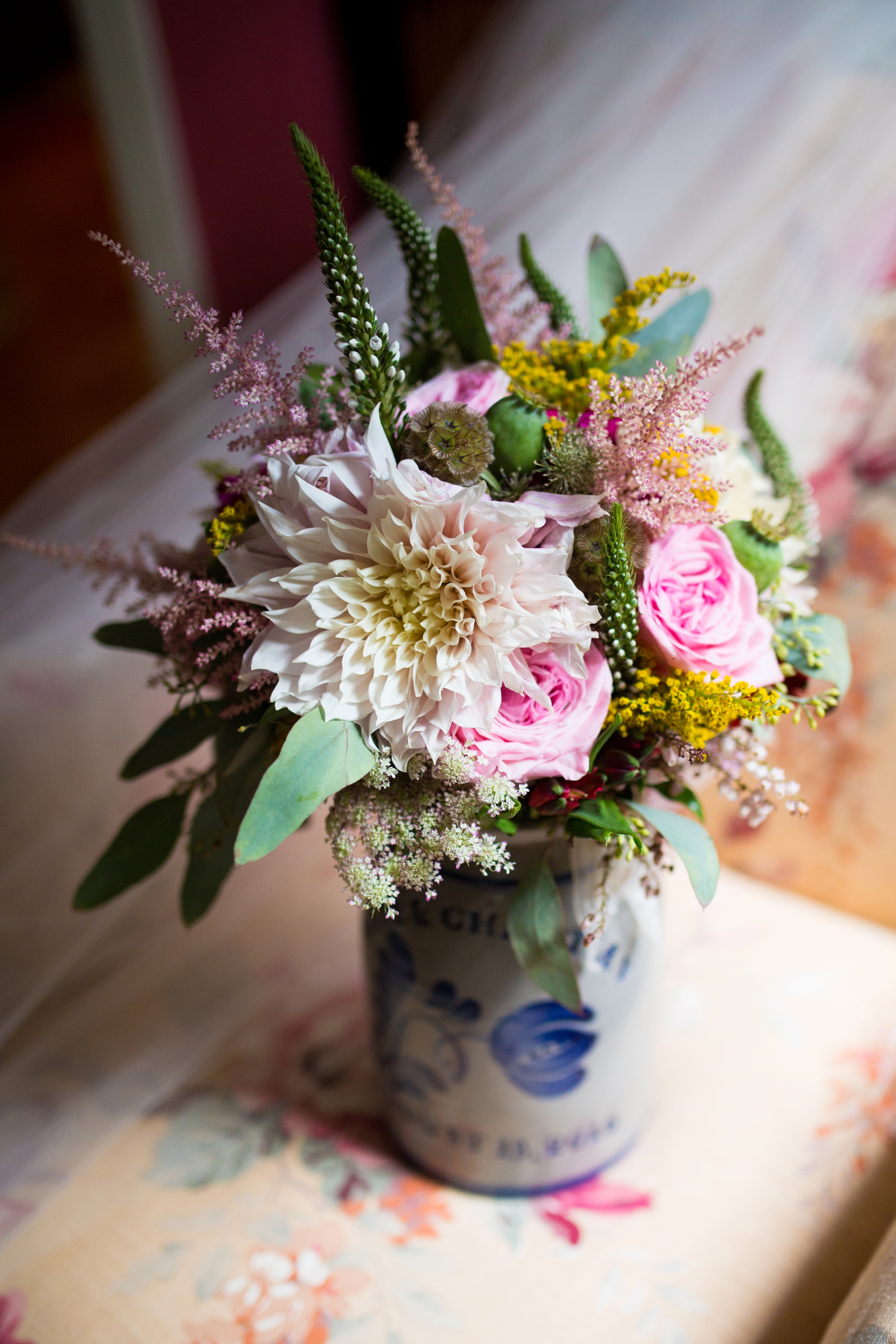
Gorgeous flowers by: @darlingtonflowerco

Comment

Tips for Making Your Bridal Details Look Amazing in Photos!

Comment

Tips for Making Your Bridal Details Look Amazing in Photos!

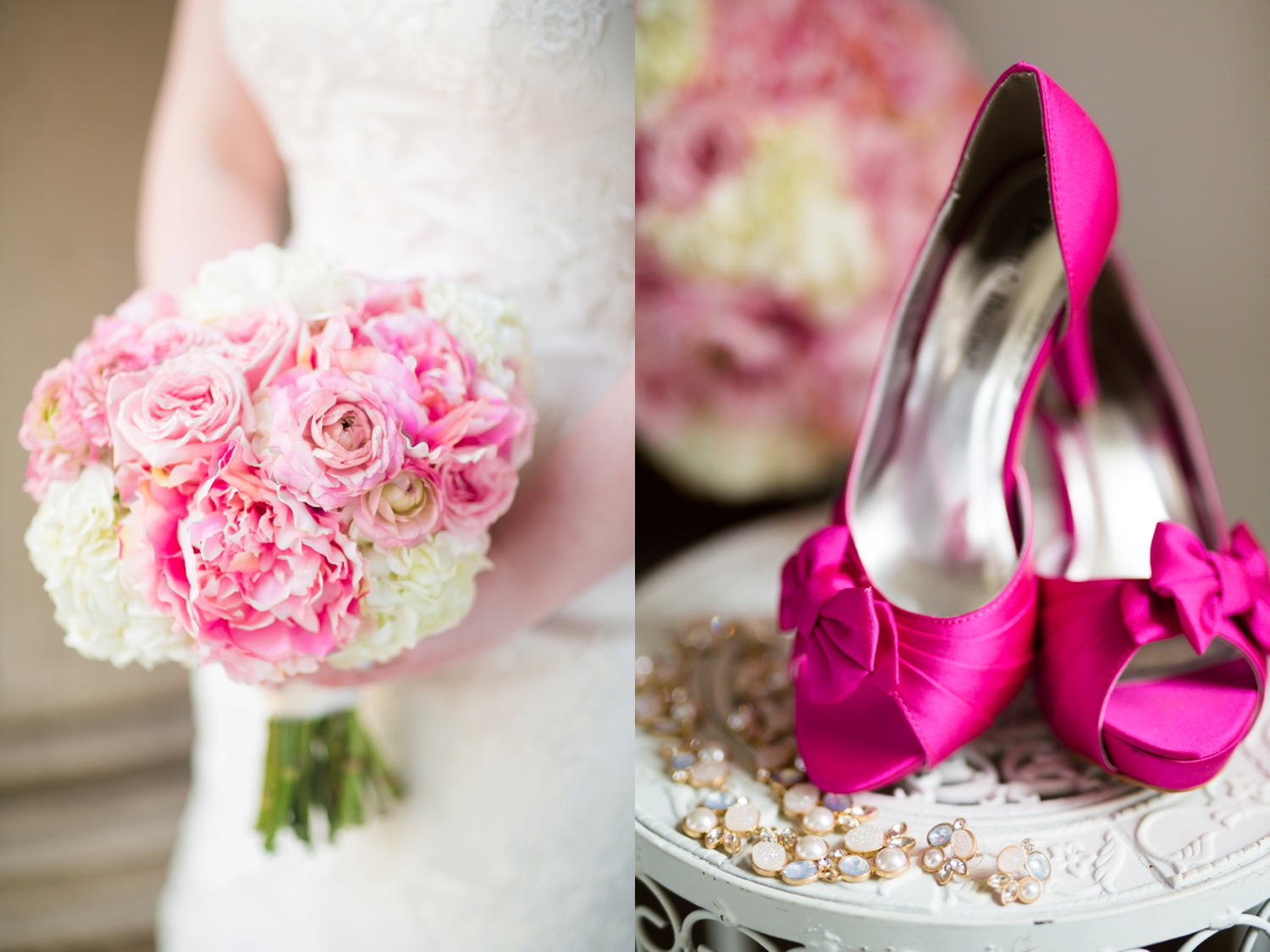
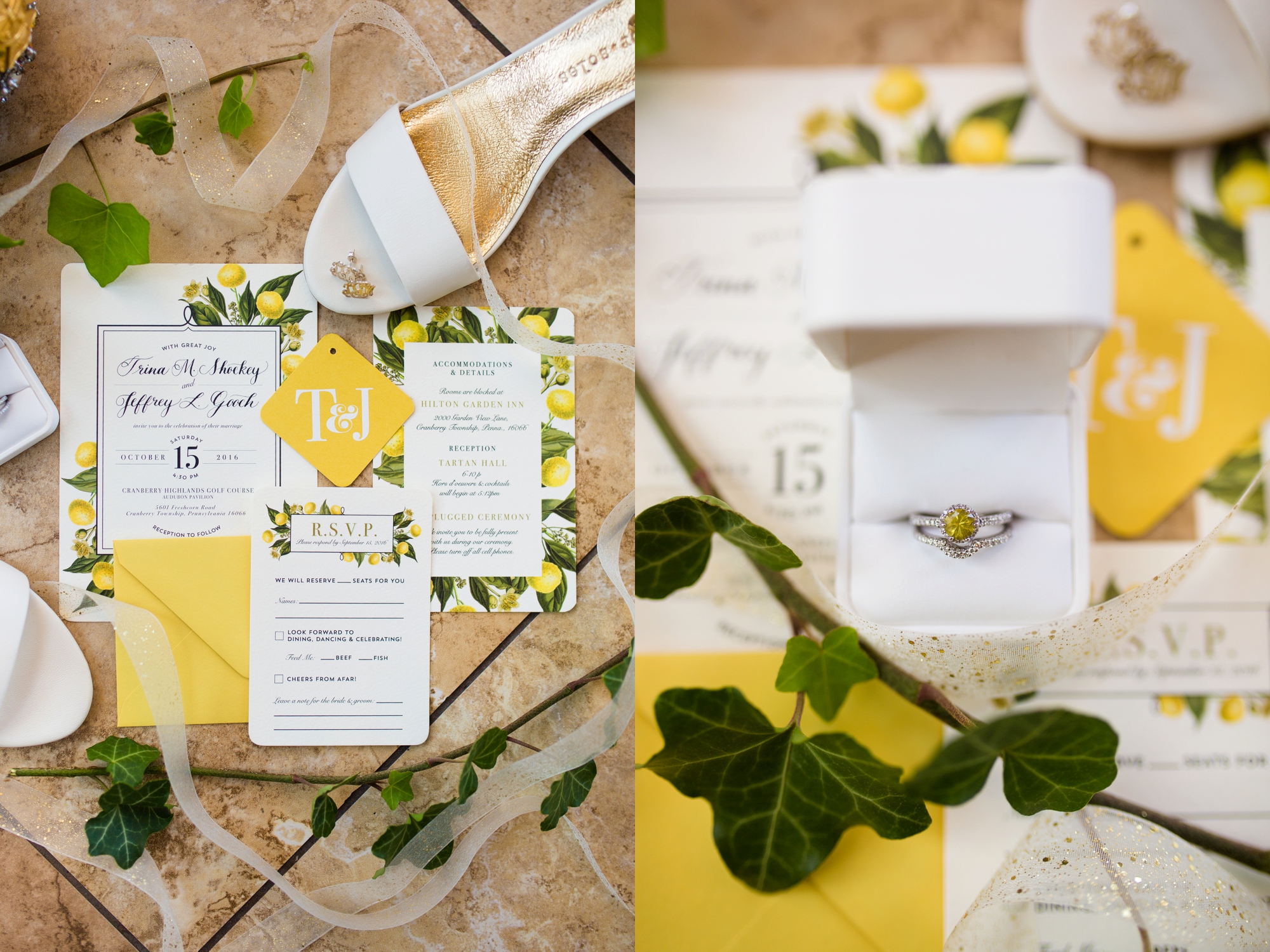
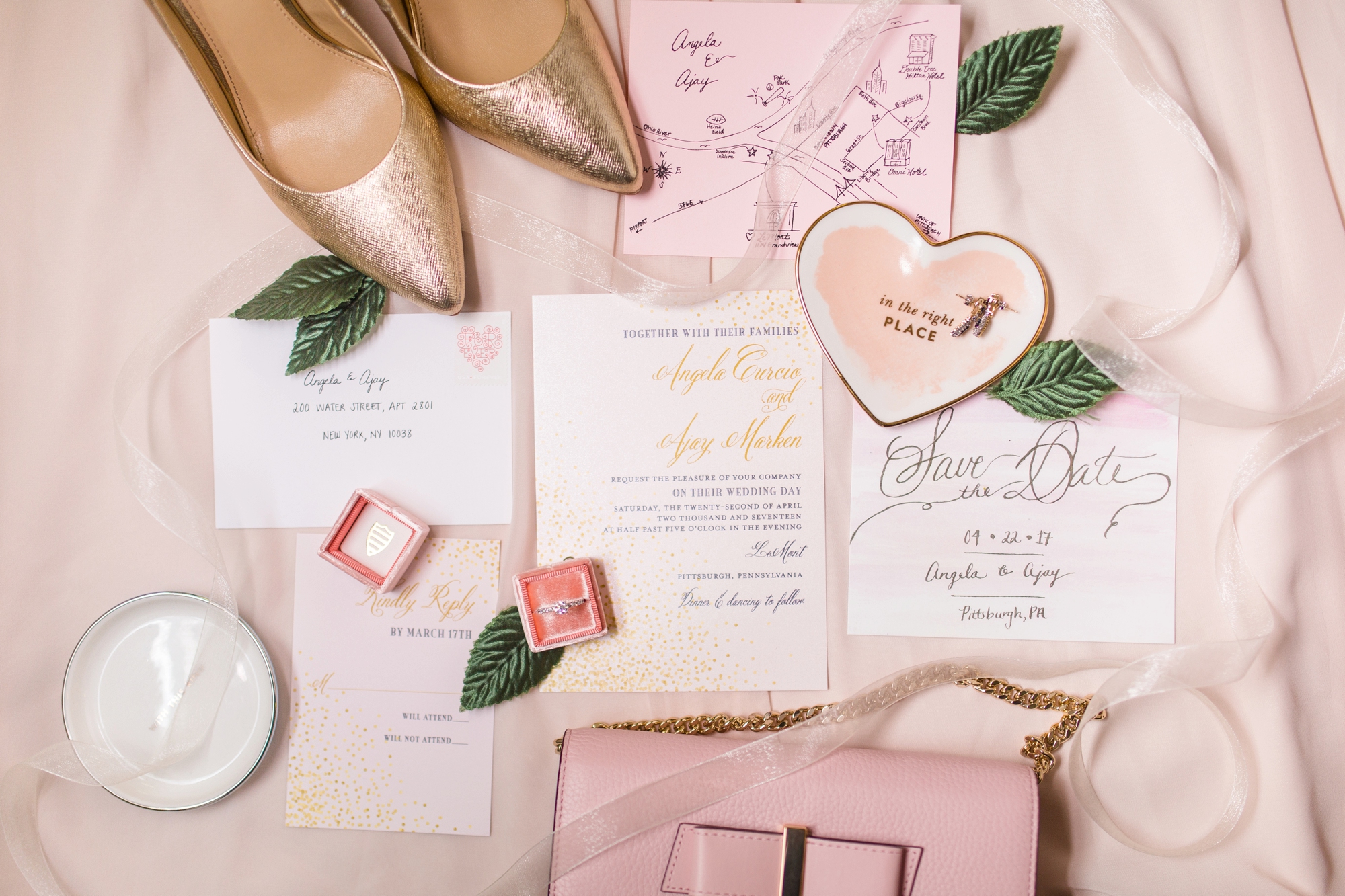
You may not realize it, but every wedding photographer has certain parts of the wedding day they favor photographing – and for me, one of my favorite parts of the day is photographing the bridal details! Having time to photograph the bridal details lets me creatively “warm up” for the day, and for me, is just plain fun!

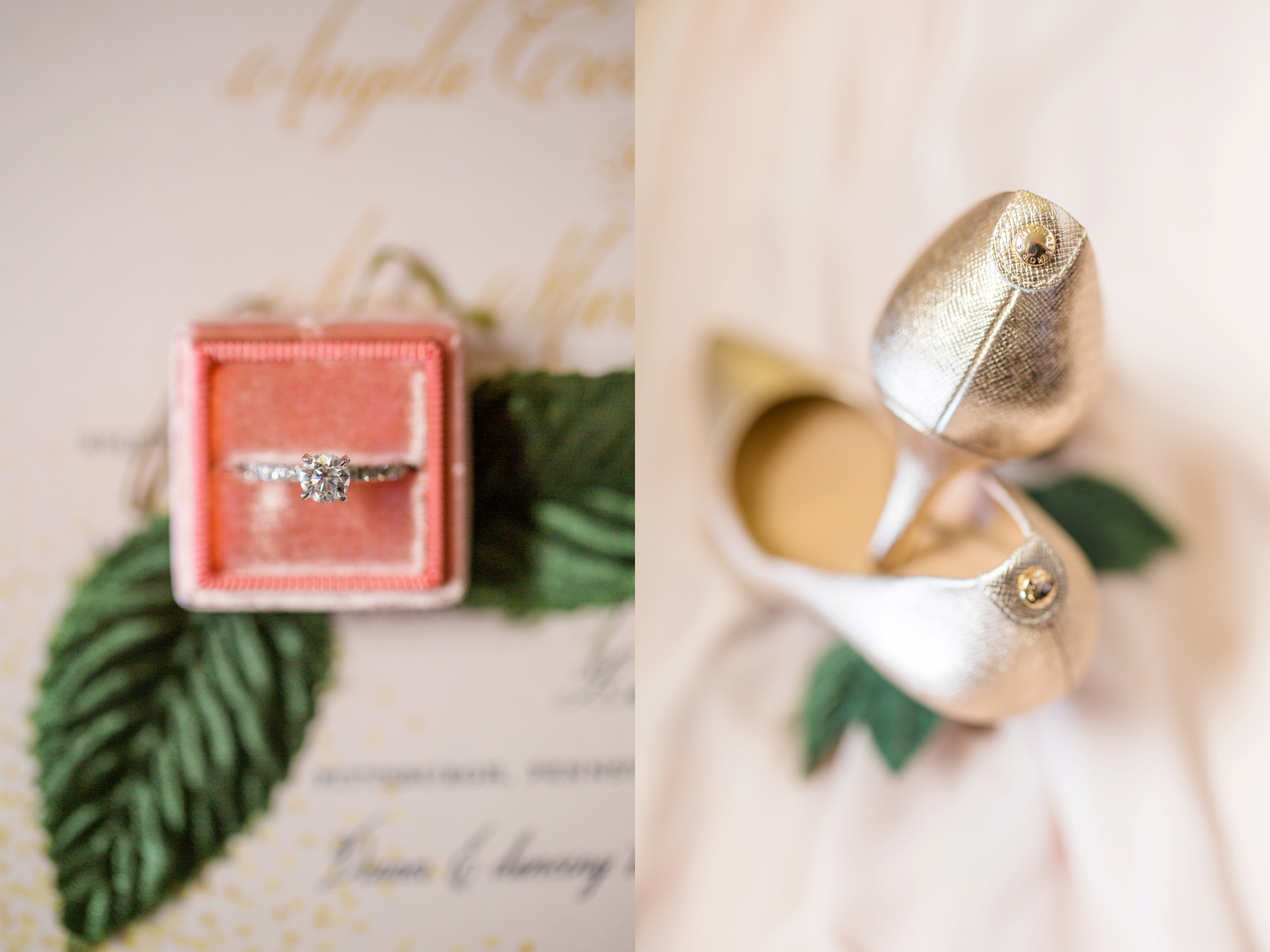
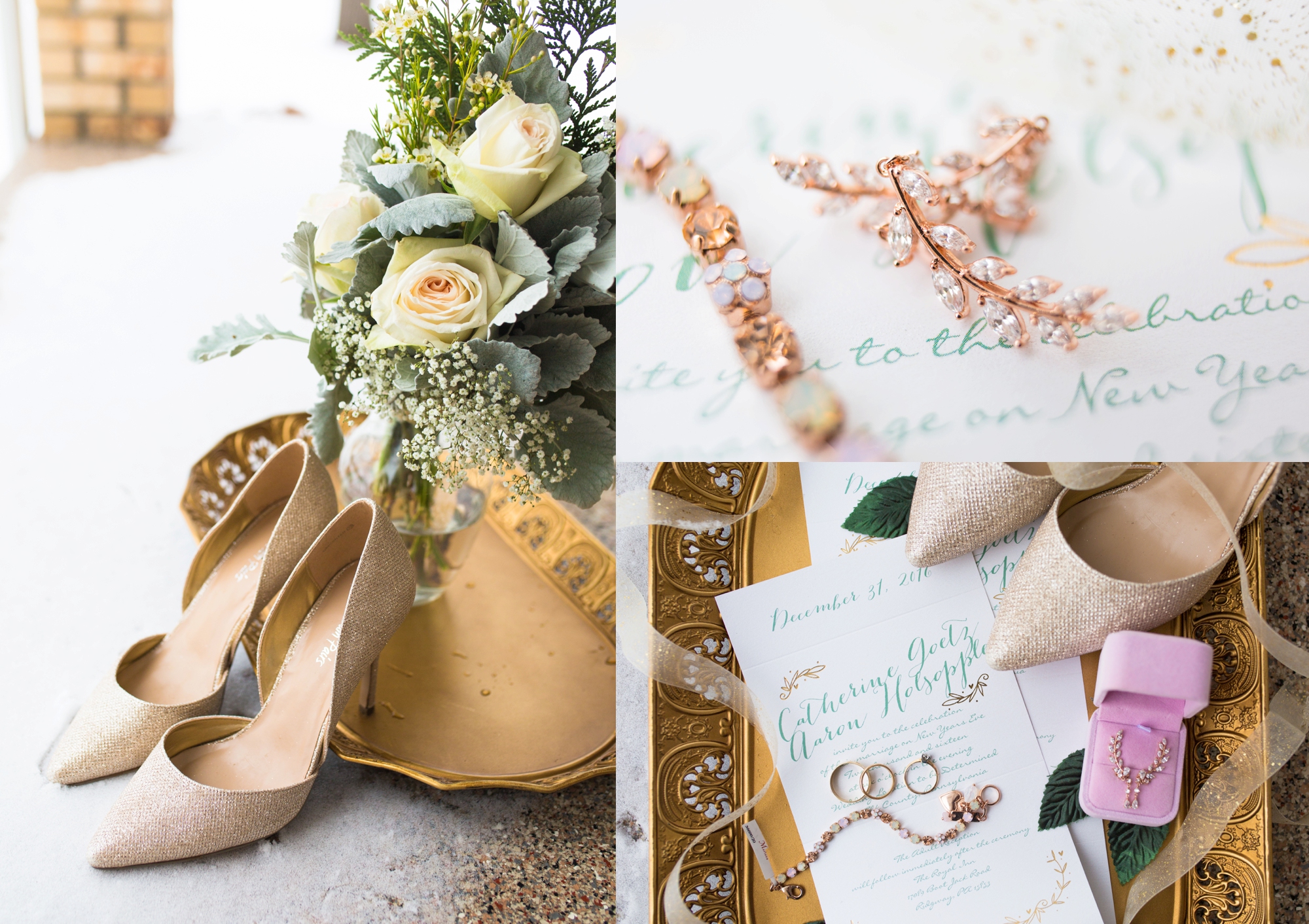
I’m all about meticulously arranging beautiful compositions so brides can remember each and every important detail they incorporated. While it can be easy to lose some of those accessories and trinkets used on the wedding day throughout the years, a photograph (or a few) of your items in your wedding album is sure to remain!

Because I have a passion for creating beautiful imagery from bridal details, I’d love to share three pieces of advice for making your bridal details look amazing:

1. Pre-think and gather what you would like to have photographed.

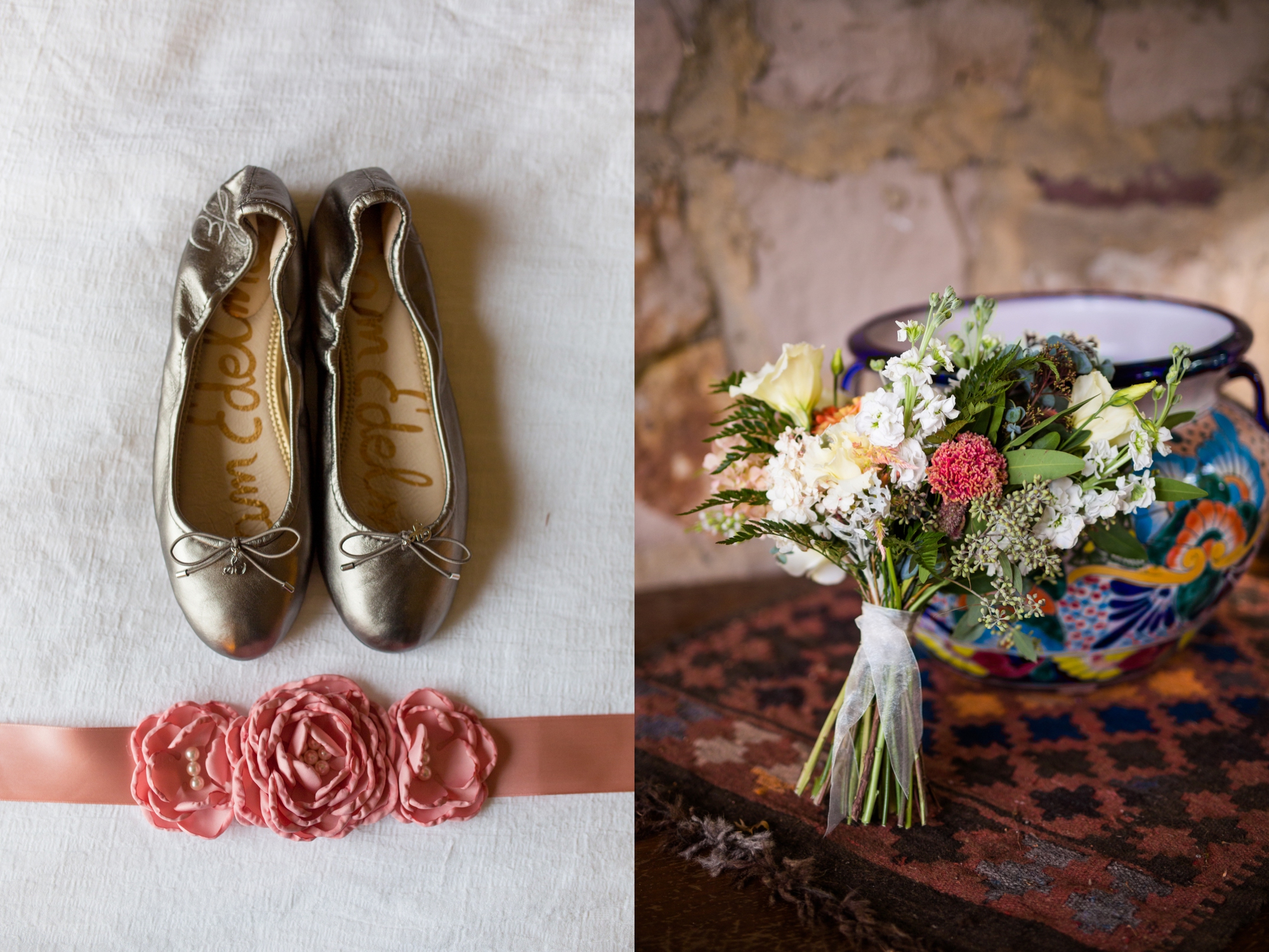
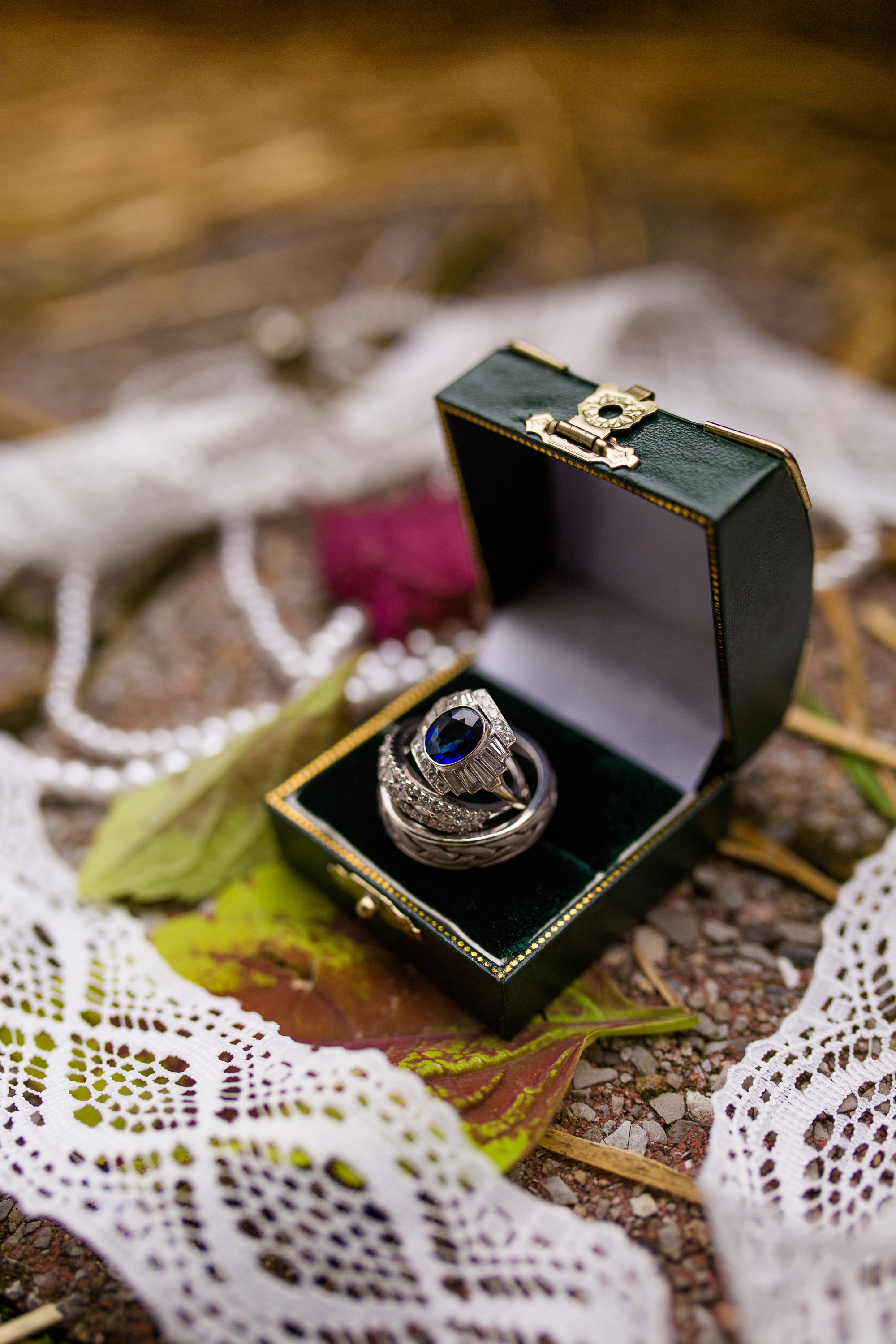
The bride has a lot of accessories on the wedding day – the dress, veil, shoes, garter, jewelry, wedding rings, perfume, bouquet – just to name a few! I always love to recommend having brides pre-think and gather what they would like to have photographed so nothing is forgotten or unintentionally left out. Pre-thinking what you would like to have photographed means less scrambling on the wedding day looking for misplaced items, and leaves less of a chance that something could be forgotten in the photographs!

Here is a list of what I will typically ask for from brides:

  • Dress
  • Dress belt (if there is one)
  • Veil (if there is one)
  • Shoes
  • Invitation suite (this adds so much to photographs, plus invitation suites typically cost a decent chunk of change, so getting them photographed is a great way to remember them!)
  • Save the date
  • Garter(s)
  • Wedding rings
  • Engagement ring
  • Perfume
  • Purse
  • Headpiece
  • Any jewelry (necklace, bracelet, earrings)
  • Something old, new, borrowed, and blue
pittsburgh wedding photographer, pittsburgh wedding photographers, pittsburgh wedding venue, pittsburgh wedding venues, cranberry township photographer, zelienople photographer, bridal details, how to photograph bridal details, pittsburgh wedding in…

2. Add in personal elements and heartfelt touches.

I love when brides take this piece of advice and run with it! Last summer, I was doing a venue walk through with a bride who was having her wedding on her parent’s property. While we were walking through her parent’s house, I noticed an antique silver tray, which I later learned belonged to her grandmother. I made a point to incorporate the tray into some of the bride’s bridal detail photos, and not only did it make the perfect backdrop for her invitation suite, but was an extra personal element that she will always have photos of to remember! (See below for how the photo turned out!)

Other personal items might include: a photograph of the bride’s mother or grandmother in her wedding dress, a old photo of the bride as a flower girl, an heirloom vase, an antique picture frame or chair, a handwritten love letter from the groom, a handkerchief – but really, the possibilities are endless!

pittsburgh wedding photographer, pittsburgh wedding photographers, pittsburgh wedding venue, pittsburgh wedding venues, cranberry township photographer, zelienople photographer, bridal details, how to photograph bridal details, pittsburgh wedding in…

3. Ask your florist to provide some flower petals or a few extra flowers to help set the tone of the photos.

At a recent wedding, one of my brides requested extra flowers from her florist for detail photographs, and I thought it was a GENIUS idea (and can’t believe I hadn’t thought of asking the florists I work with sooner!). Sometimes florists have extra rose petals, flowers, and/or leaves leftover after creating the wedding centerpieces, bouquets, and boutonnières – asking them to bring along a few extra items for photos typically is a-okay! Especially if you offer them the opportunity to use your photographs as portfolio pieces in return :)

So there you have it! Whether you're a bride or a photographer, I hope these few little suggestions help get your wheels turning to create some beautiful (and meaningful) photos that will help commemorate bridal details for years to come! 

pittsburgh wedding photographer, pittsburgh wedding photographers, pittsburgh wedding venue, pittsburgh wedding venues, cranberry township photographer, zelienople photographer, bridal details, how to photograph bridal details, pittsburgh wedding in…

Comment

Easy Desktop Project File Organization

Comment

Easy Desktop Project File Organization

Whether you're a copywriter, blogger, videographer, photographer, graphic designer, or web designer, staying organized as a creative with a gazillion projects floating around can be a challenge, and knowing where you are in each project at any given time can be even more of a challenge. 

Towards the beginning of my photography business, I was booking, culling, editing, exporting, backing up, and packaging up sessions without a true rhyme, reason, or rhythm to my madness. One session would be in the editing phase, another couple in the exporting phase, a few others in the packaging stage, and for the life of me, I couldn't remember which one was in what step! After a few days of researching, I finally came up with a system that worked for me: a visual way to organize my laptop desktop where my "open" session files could be accessed easily at any time:

pittsburgh wedding photographers, cranberry township wedding photographers, pittsburgh photography education, pittsburgh wedding venues

I broke my process down into 5 easy stages/action steps: working files (including culling, editing, an exporting), put in a gallery (I use and love the PASS gallery system), burn to USB (love my Flashbay drives!), back up to hard drive (or, in my case, since I'm extremely paranoid, to TWO hard drives), and finished files, which means the files can be discarded from my laptop safely. Then, once I exported the Photoshop file as a JPEG, I set the JPEG as my desktop and organized my projects into each category. Using these five stages, I know where every single one of my active sessions is at any given time in the process.

I'm sure there are much more intricate programs, software, and apps that can do this exact same thing - but this easy to implement system has been my go-to for the last 4 years and was an easy way for me to get organized and change the way I work. If you're interested in trying out this easy desktop organization system, click here to download your free PSD desktop organization template! Customize your categories, add a photo, export the file as a JPEG, set it as your desktop screensaver - and voila! You're ready to start organizing!

pittsburgh wedding photographers, cranberry township wedding photographers, pittsburgh photography education, pittsburgh wedding venues

Comment